Ensure the front of your design stays true to your winning submission (unless changes were requested by our Merchandising team, found in the ‘Requests’ section of your File Request).
When creating your alternate colorways, ensure your fronts contrast from one another by something other than foil type.
If your design includes foil elements, make sure you are using a different foil type for each colorway. You may repeat a foil type, but please ensure that the color of other design elements differ.
NOTE! We encourage artists to optimize colorways for common school color combos that would allow customers to use the foil to show school colors. Examples: green + gold, blue + silver, red + black, etc.
Die-cut shapes are placed in the “background” layer within your templates. If your design uses a die-cut shape, you can turn shapes on & off here to preview your design. Our team will automatically launch your design with the die-cut shape matching your winning submission.
A solid color backer will automatically be offered with your design, so please create a patterned backer that coordinates with the front of your design.
Make sure you bleed the pattern design to the edge of the artboard (the color behind the logo will be applied by our team before launch).
Do not include any customizable elements on your pattern backer, as our customizer cannot accommodate this. Please also avoid using text on your backer in general, as this causes confusion among customers.
If your winning design is foil-pressed, know that we cannot accommodate foil elements on the backer.
Due to the nature of letterpress printing, we do not offer backer designs for this product. If your design is selected for our letterpress assortment, you do not need to submit this item.
ENVELOPE LINER
Please create a patterned liner that coordinates with the rest of your design.
Silver, Gold, and Rose Gold liners will also be available to customers as an option.
Do not include any text or customizable elements on your liner, as our customizer cannot accommodate this.
Either submit one pattern on the combined backer & liner file in your templates, or create two separate patterns and submit both.
MATCHING ENVELOPE
Please include coordinating designs for both recipient address (front of envelope) and return address (back flap).
The more creative your envelope design, the more likely it is to be featured in Minted marketing materials!
Choose fonts that complement your design and/or coordinate with the front (but keep the default names & addresses).
Due to postal regulations, please do not use a script font for the sender or recipient address (names are ok though!). Please also ensure that the names are on one line only.
Keep in mind that all fonts used for addresses should be at least 2 points above the minimum size
Avoid using large blocks of color in your design or light pastel colors, as these do not render well when printed. Please also avoid using large areas of texture, as these have the potential to come across as a printing error.
Do not slant or rotate any name/address text on your envelope.
THANK YOU CARD
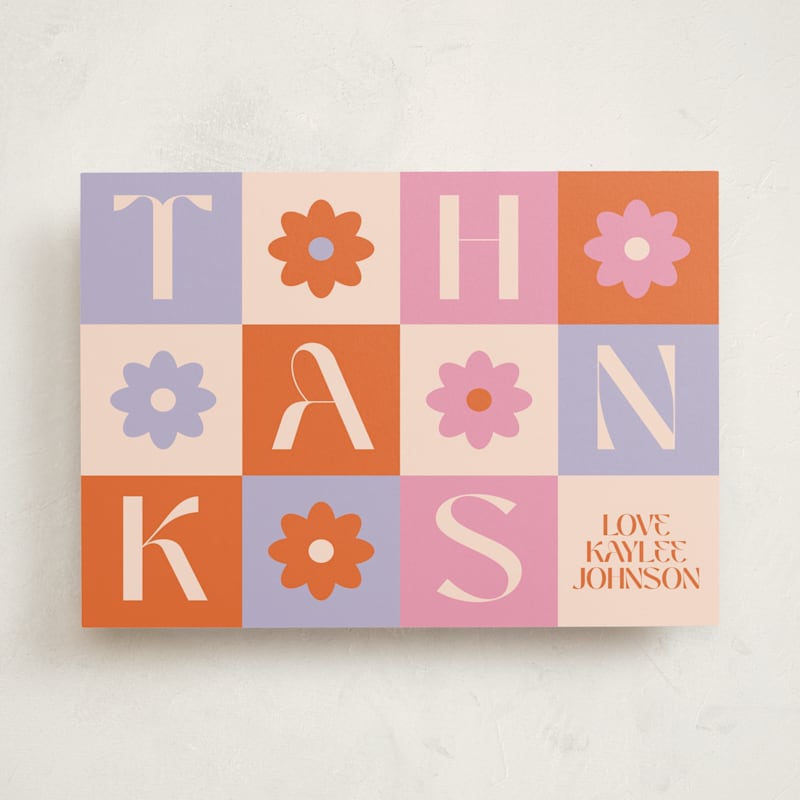
Design the front of an A2 folding thank you card (the interior and back will be left blank). You may design either a portrait or landscape orientation card.
Please ensure there is at least one customizable element in your design (i.e. grad's name or initials). You are welcome to also include a photo in your Thank You Card design, but a photo is not required.
Please do not include a year on your thank you card, as this is difficult to update if your design is in our assortment for multiple years.
If the front of your design includes foil-pressed elements, please also include foil-pressed elements on your Thank You Card.
INSERT CARD (only applicable for Graduation Announcements)
Use cases include:
Party Invitation (virtual or in-person): Should include party details like date, time, location, the grad's name.
Thank you note/note from the grad: Some ideas for text to include are: where they are heading to college/plans for after graduation, accomplishments they are most proud of, etc.
Advice for graduate: A blank or lined card design requesting words of advice from recipients to give the graduate.
Favorite Memory with the grad: A blank or lined card design requesting that recipients write their favorite memory with the graduate.
Your file request will specify which insert card use case our team would like you to submit.
The insert card should feel cohesive with the parent grad announcement without being too matchy-matchy.
Please do not include a year on your insert card, as this is difficult to update if your design is in our assortment for multiple years.
If your parent Announcement/Party Invitation is foil-pressed, please do not incorporate foil elements on this insert card. We will only be offering non-foil insert cards.
You are welcome to include photo(s) on your insert card if you'd like.
Feel free to pull copy from existing Insert Cards on site, or come up with your own!
CUSTOMIZABLE FAVOR TAG (only applicable for Party Invitations)
Select one tag shape/size to create a customizable tag that coordinates with your winning design.
Favor tags come in 3 different sizes: 3.5x2 (landscape or portrait) and 2.25x2.25 (square).
Favor tags are typically used by the hostess and placed on party favors.
Include at least one customizable element on your tag (i.e. Thank You, name of graduate, Thanks for Celebrating, etc.).
In addition to the front of the favor tag, please also design and submit a patterned backer. Solid backer options will already be available to customers.
If you include a date, please do not include the year.
If your winning design is foil-pressed, please do not include foil elements on this piece.
CUSTOMIZABLE STICKER (only applicable for Party Invitations)
Please design for only one sticker shape that will be offered with your design. See the Available Sticker Shapes section at the bottom of this page for all available sticker shapes and dimensions.
Stickers are typically used by the hostess and placed on party favors.
Include at least one customizable element on your sticker design (i.e. the graduate’s name, “Thanks for Celebrating”, etc.).
If you include a date, please omit the year.
If your winning design is foil-pressed, please do not include foil elements on this piece.
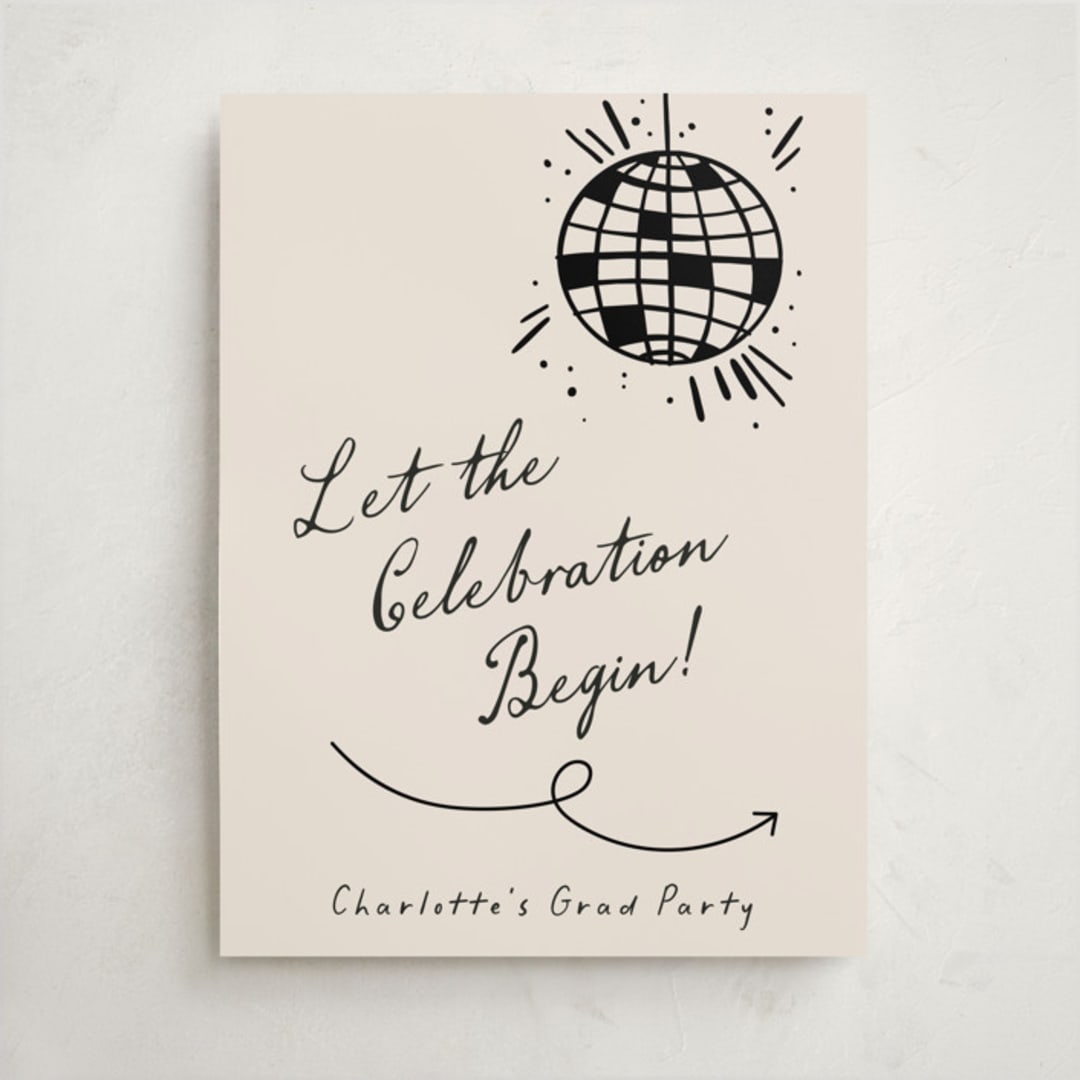
LARGE GRADUATION SIGNS (Only if requested in your File Request email)
Use the Large Sign template for the following graduation sign use cases:
Welcome Signs
Signs are only available in non-foil at this time.
Example featured is Disco by Pixel and Hank
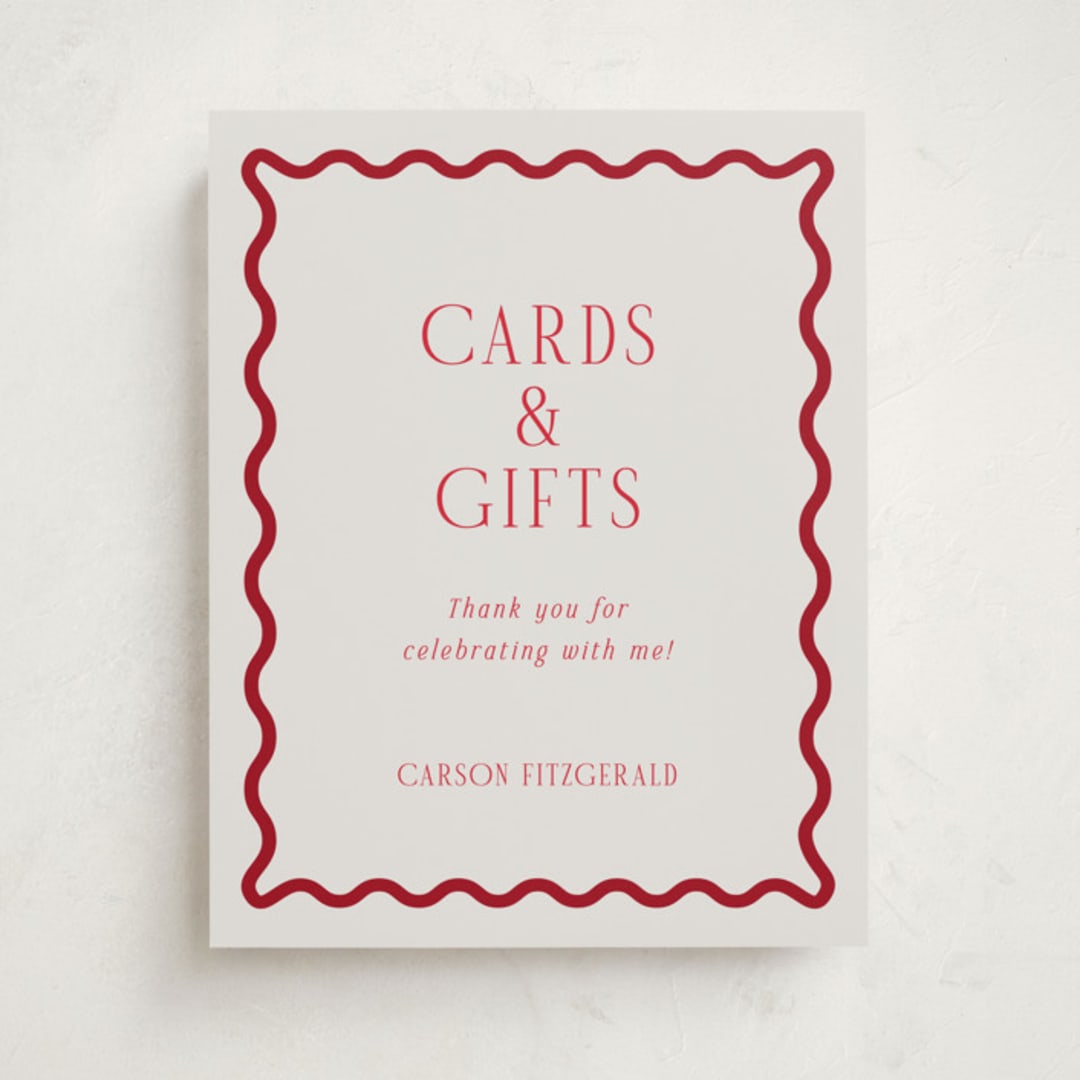
SMALL GRADUATION SIGNS (Only if requested in your File Request email)
Use the Small Sign template for the following graduation sign use cases:
Menu Signs
Party Signs
Bar Signs
Signs are only available in non-foil at this time.
Example featured is Fun Border Frame by Jackie Crawford
CLASSROOM VALENTINES
FRONT
Ensure the front of your design stays true to your winning submission (unless changes were requested by our Merchandising team, found in the ‘Requests’ section of your File Request).
When creating your alternate colorways, ensure your fronts contrast from one another by something other than foil type.
If your design includes foil elements, try to use a different foil type for each colorway. You may repeat a foil type, but please ensure that the color of other design elements differ.
Die-cut shapes are placed in the “background” layer within your templates. If your design uses a die-cut shape, you can turn shapes on & off here to preview your design. Our team will automatically launch your design with the die-cut shape matching your winning submission.
A solid color backer will automatically be offered with your design, so please create a patterned backer that coordinates with the front of your design.
Make sure you bleed the pattern design to the edge of the artboard (the color behind the logo will be applied by our team before launch).
Do not include any customizable elements on your pattern backer, as our customizer cannot accommodate this. Please also avoid using text on your backer in general, as this causes confusion among customers.
If your winning design is foil-pressed, know that we cannot accommodate foil elements on the backer.
CUSTOMIZABLE STICKER
Select one of the four sticker shapes (rounded corners, heart, curved frame, or circle) to create a customizable sticker that coordinates with your winning design.
Bleed your artwork/pattern to the edge of the artboard, not the shape guidelines.
Turn on the guide of the shape you would like for your sticker, and hide the rest in the layers panel.
Stickers will not be foil-pressed, and should also not include faux foil elements.
Include at least one customizable element (name, initials, greeting, etc.)
(NEW!) MATCHING ENVELOPE
We are excited to repurpose a subset of winning designs into a new larger mailable format of Classroom Valentines. Please reference your file request to see if your design is being added to this assortment. If your design is not being added, please do not submit this file.
The more creative your envelope design, the more likely it is to be featured in Minted marketing materials!
Choose fonts that complement your design and/or coordinate with the front (but keep the default names & addresses).
Due to postal regulations, please do not use a script font for the sender or recipient address (names are ok though!). Please also ensure that the names are on one line only.
Keep in mind that all fonts used for addresses should be at least 2 points above the minimum size
Avoid using large blocks of color in your design or light pastel colors, as these do not render well when printed. Please also avoid using large areas of texture, as these have the potential to come across as a printing error.
Do not slant or rotate any name/address text on your envelope.
PHOTO VALENTINES
FRONT
Ensure the front of your design stays true to your winning submission (unless changes were requested by our Merchandising team, found in the ‘Requests’ section of your File Request).
When creating your alternate colorways, ensure your fronts contrast from one another by something other than foil type.
If your design includes foil elements, make sure you are using a different foil type for each colorway. You may repeat a foil type, but please ensure that the color of other design elements differ.
Die-cut shapes are placed in the “background” layer within your templates. If your design uses a die-cut shape, you can turn shapes on & off here to preview your design. Our team will automatically launch your design with the die-cut shape matching your winning submission.
A solid color backer will automatically be offered with your design, so please create a patterned backer that coordinates with the front of your design.
Make sure you bleed the pattern design to the edge of the artboard (the color behind the logo will be applied by our team before launch).
Do not include any customizable elements on your pattern backer, as our customizer cannot accommodate this. Please also avoid using text on your backer in general, as this causes confusion among customers.
If your winning design is foil-pressed, know that we cannot accommodate foil elements on the backer.
ENVELOPE LINER
Please create a patterned liner that coordinates with the rest of your design.
Silver, Gold, and Rose Gold liners will also be available to customers as an option.
Do not include any text or customizable elements on your liner, as our customizer cannot accommodate this.
Either submit one pattern on the combined backer & liner file in your templates, or create two separate patterns and submit both.
MATCHING ENVELOPE
Please include coordinating designs for both recipient address (front of envelope) and return address (back flap).
The more creative your envelope design, the more likely it is to be featured in Minted marketing materials!
Choose fonts that complement your design and/or coordinate with the front (but keep the default names & addresses).
Due to postal regulations, please do not use a script font for the sender or recipient address (names are ok though!). Please also ensure that the names are on one line only.
Keep in mind that all fonts used for addresses should be at least 2 points above the minimum size
Avoid using large blocks of color in your design or light pastel colors, as these do not render well when printed. Please also avoid using large areas of texture, as these have the potential to come across as a printing error.
Do not slant or rotate any name/address text on your envelope.
BIRTH & PREGNANCY ANNOUNCEMENTS
FRONT
Ensure the front of your design stays true to your winning submission (unless changes were requested by our Merchandising team, found in the ‘Special Requests’ section of your File Request).
Note! If your design includes a year on it, please make sure that it is next year (e.g. if it is currently 2026, use 2027). If your design is in our assortment for multiple years, this will avoid additional work by our team to update and re-launch.
If your design is foil, your colorways should be differentiated by something other than foil color. Customers can pick any foil color they want for each colorway.
Die-cut shapes are placed in the “background” layer within your templates. You can turn this layer on and off to preview what shapes will work with your design. Our team will automatically launch your design with the die-cut shape matching your winning submission.
A solid color backer will automatically be offered with your design, so please create a patterned backer that coordinates with the front of your design.
Make sure you bleed the pattern design to the edge of the artboard (the color behind the logo will be applied by our team before launch).
Do not include any customizable elements on your pattern backer, as our customizer cannot accommodate this. Please also avoid using text on your backer in general, as this causes confusion among customers.
We cannot accommodate foil elements on the backer.
Due to the nature of letterpress printing, we do not offer backer designs for this product. If your design is selected for our letterpress assortment, you do not need to submit this item.
ENVELOPE LINER
Please create a patterned liner that coordinates with the rest of your design.
Silver, Gold, and Rose Gold liners will also be available to customers as an option.
Do not include any text or customizable elements on your liner, as our customizer cannot accommodate this.
If you’d like to use the same single pattern for the liner that you submit for the backers, leave this artboard blank in the templates.
MATCHING ENVELOPE
Please include coordinating designs for both recipient address (front of envelope) and return address (back flap).
All fonts used for addresses must be at least 2 points above the minimum font size.
Names may be in script fonts, but due to postal regulations, script fonts may not be used for sender or recipient addresses. Please also ensure that the names are on one line only.
Avoid using large blocks of color in your design or light pastel colors, as these do not render well when printed. Please also avoid using large areas of texture, as these have the potential to come across as a printing error.
Do not slant or rotate any name/address text on your envelope.
THANK YOU CARD
Design the front of an A2 folding thank you card (the interior and back will be left blank). You may design either a portrait or landscape orientation card.
Please ensure there is at least one customizable element in your design (i.e. baby’s name or initials). You are welcome to also include a photo in your Thank You Card design, but a photo is not required.
Please do not include a year on your thank you card, as this is difficult to update if your design is in our assortment for multiple years.
If the front of your design includes foil-pressed elements, please also include foil-pressed elements on your Thank You Card.
BABY SHOWER INVITATIONS
FRONT (REQUIRED)
Ensure the front of your design stays true to your winning submission (unless changes were requested by our Merchandising team, found in the ‘Special Requests’ section of your File Request).
When creating your alternate colorways, ensure your fronts contrast from one another by something other than foil type.
If your design includes foil elements, try to use a different foil type for each colorway. You may repeat a foil type, but please ensure that the color of other design elements differ.
Die-cut shapes are placed in the “background” layer within your templates. If your design uses a die-cut shape, you can turn shapes on & off here to preview your design. Our team will automatically launch your design with the die-cut shape matching your winning submission.
Example featured is Scandi Boho by Itsy Belle Studio
BACKER (REQUIRED)
A solid color backer will automatically be offered with your design, so please create a patterned backer that coordinates with the front of your design.
Make sure you bleed the pattern design to the edge of the artboard (the color behind the logo will be applied by our team before launch).
Do not include any customizable elements on your pattern backer, as our customizer cannot accommodate this. Please also avoid using text on your backer in general, as this causes confusion among customers.
If your winning design is foil-pressed, know that we cannot accommodate foil elements on the backer.
ENVELOPE LINER (REQUIRED)
Please create a patterned liner that coordinates with the rest of your design.
Silver, Gold, and Rose Gold liners will also be available to customers as an option.
Do not include any text or customizable elements on your liner, as our customizer cannot accommodate this.
Either submit one pattern on the combined backer & liner file in your templates, or create two separate patterns and submit both.
MATCHING ENVELOPE (REQUIRED)
Please include coordinating designs for both recipient address (front of envelope)and return address (back flap).
The more creative your envelope design, the more likely it is to be featured in Minted marketing materials!
Choose fonts that complement your design and/or coordinate with the front (but keep the default names & addresses).
Due to postal regulations, please do not use a script font for the sender or recipient address (names are ok though!). Please also ensure that the names are on one line only.
Keep in mind that all fonts used for addresses should be at least 2 points above the minimum size
Avoid using large blocks of color in your design or light pastel colors, as these do not render well when printed. Please also avoid using large areas of texture, as these have the potential to come across as a printing error.
Do not slant or rotate any name/address text on your envelope.
THANK YOU CARD (REQUIRED)
Design the front of an A2 folding thank you card (the interior and back will be left blank). You may design either a portrait or landscape orientation card.
Please ensure there is at least one customizable element in your design (i.e. baby’s name or initials). You are welcome to also include a photo in your Thank You Card design, but a photo is not required.
Please do not include a year on your thank you card, as this is difficult to update if your design is in our assortment for multiple years.
If the front of your design includes foil-pressed elements, please also include foil-pressed elements on your Thank You Card.
FAVOR TAG (REQUIRED)
Select one tag shape/size to create a customizable tag that coordinates with your winning design.
Favor tags come in 3 different sizes: 3.5x2 (landscape or portrait) and 2.25x2.25 (square).
Favor tags are typically used by the hostess and placed on party favors.
Include at least one customizable element on your tag (i.e. Thank You, name of baby, Thanks for Celebrating, etc.).
In addition to the front of the favor tag, please also design and submit a patterned backer. Solid backer options will already be available to customers.
If you include a date, please do not include the year.
If your winning design is foil-pressed, please do not include foil elements on this piece.
FAVOR STICKER (REQUIRED)
Please design for only one sticker shape that will be offered with your design. See the Available Sticker Shapes section at the bottom of this page for all available sticker shapes and dimensions.
Stickers are typically used by the hostess and placed on party favors.
Include at least one customizable element on your sticker design (i.e. the baby's name/initials, “Thanks for Celebrating”, etc.).
If you include a date, please omit the year.
If your winning design is foil-pressed, please do not include foil elements on this piece.
INSERT CARD (REQUIRED)
Use cases include:
Display Shower: Instructs guests to not wrap presents. Instead they will be placed on display and the guest(s) of honor will spend time socializing and playing games as opposed to opening gifts.
Book Request (or “Books for Baby”): Host uses a common rhyme to request that guests bring baby books to the shower in lieu of other presents.
Registry Details
[*MINI CARDS ONLY*] Diaper Raffle Ticket: Please see section below for more details.
Please feel free to choose an insert card use case based on the list above.
The insert card should feel cohesive with the parent baby shower invitation without being too matchy-matchy.
Include at least one customizable element(i.e. the parents’ last name or shower date)
If your parent Invitation is foil-pressed, please do not incorporate foil elements on this insert card. We will only be offering non-foil insert cards.
These are small tickets (3.5''x2.5'') for guests to fill out and bring to the shower along with a box of diapers to be entered in a raffle for some kind of prize at the shower. A cute and clever way of getting lots of diapers for the parents-to-be!
This card can be submitted in both landscape or portrait orientation.
Like the larger insert cards, these should feel cohesive with the parent baby shower invitation without being too matchy-matchy.
If your parent Invitation is foil-pressed, please do not incorporate foil elements on this insert card. We will only be offering non-foil insert cards.
The band should be additive and therefore should not have repetitive copy to what's already on the invitation. Some ideas for copy: – “[Mom-to-be]’s Baby Shower” – Shower date (please do not include the year) – “Join us to celebrate our mom-to-be [name]”
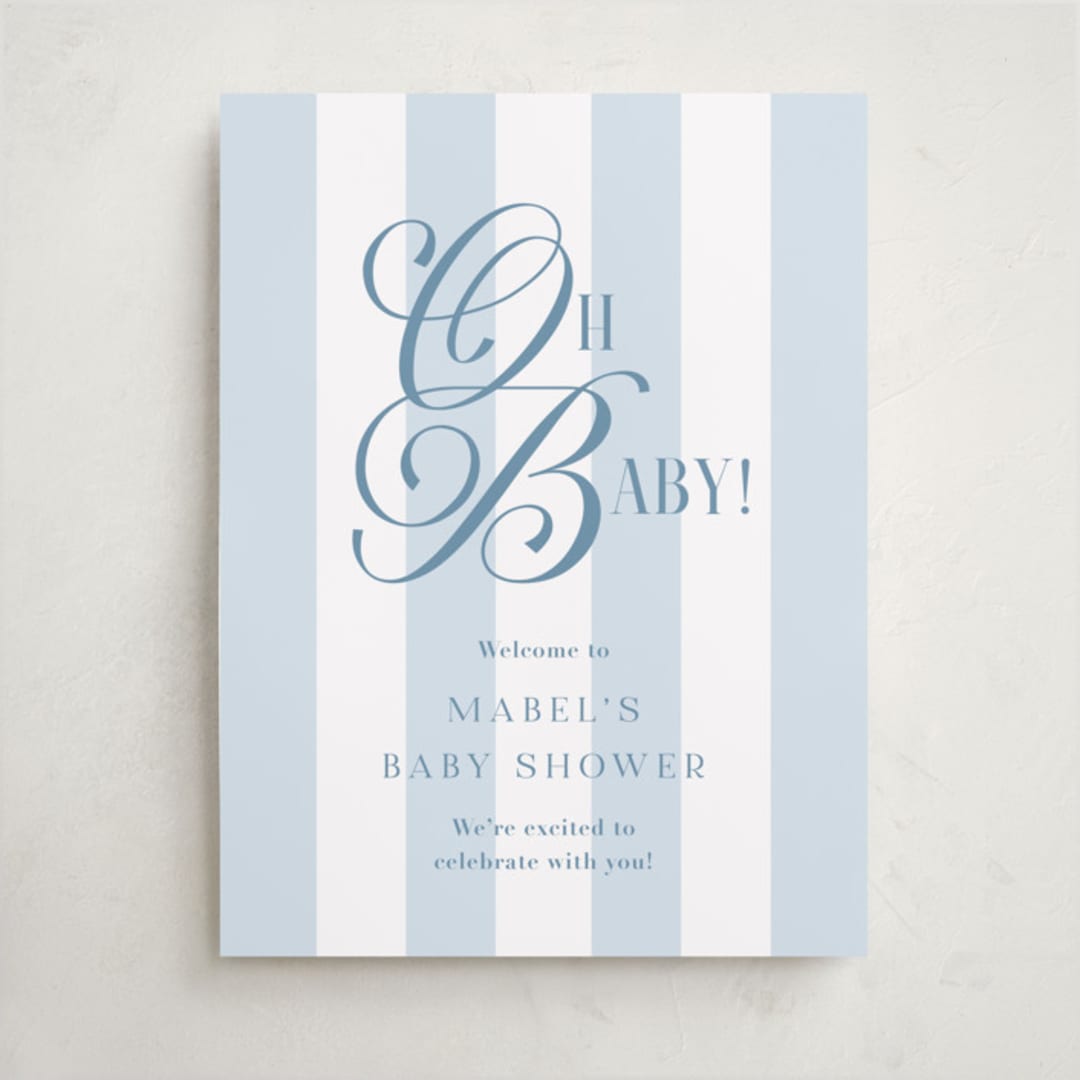
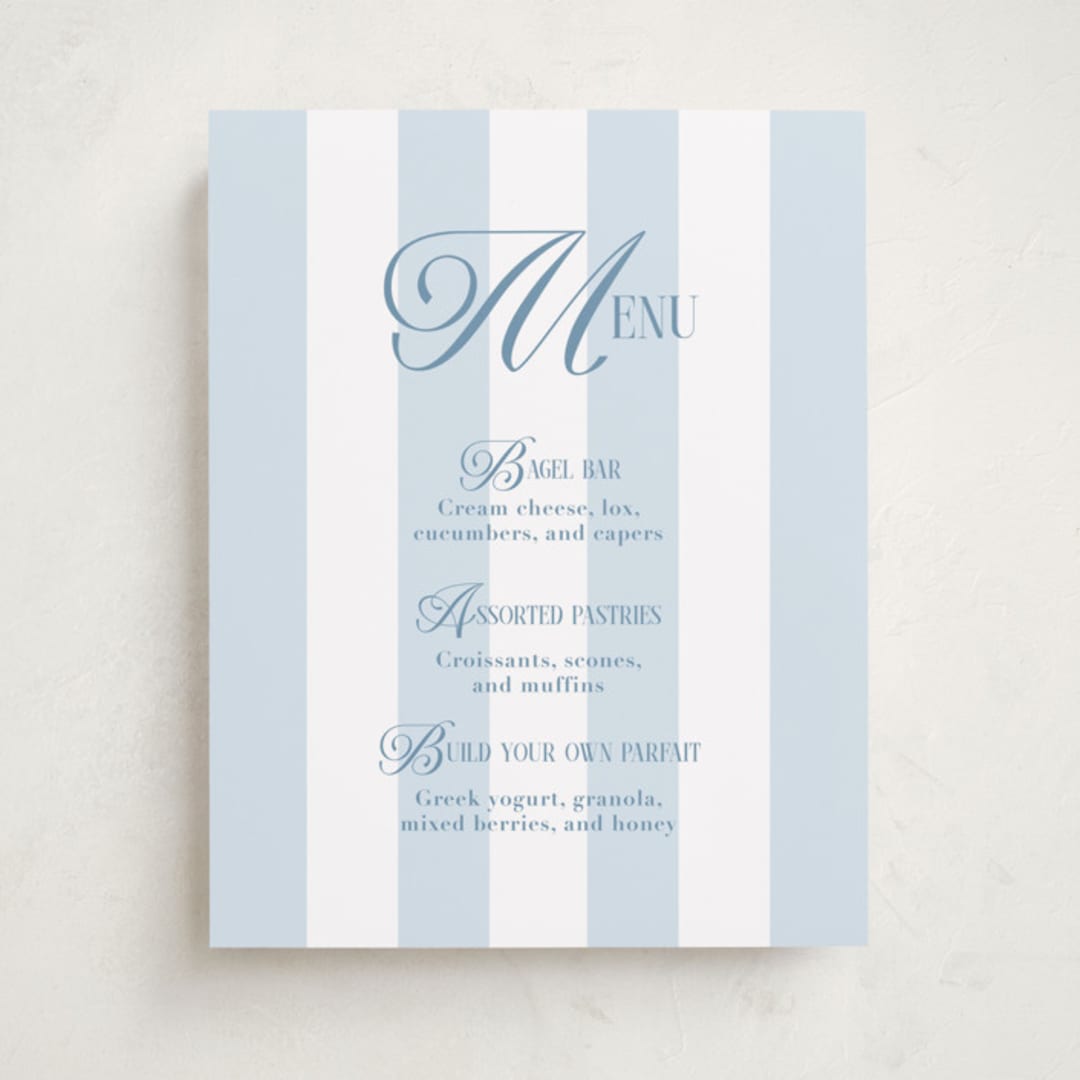
We have two sizes of baby shower signs available, each with different use cases. Please review details below and refer to your File Request for specifically requested files. Note that wedding signs are available only as non-foil products at this time.
LARGE BABY SHOWER SIGN (18x24)
Use the Large Sign template for the following baby shower sign use cases:
Welcome Sign
Example featured is Oh Boy! by Laura Hankins
SMALL BABY SHOWER SIGN (11x14)
Use the Small Sign template for the following baby shower sign use cases:
Bar Signs
Food/Menu Signs
Party Signs
BAPTISM & CHRISTENING INVITATIONS
FRONT
Ensure the front of your design stays true to your winning submission (unless changes were requested by our Merchandising team, found in the ‘Special Requests’ section of your File Request).
Note! If your design includes a year on it, please make sure that it is next year (e.g. if it is currently 2026, use 2027). If your design is in our assortment for multiple years, this will avoid additional work by our team to update and re-launch.
If your design is foil, your colorways should be differentiated by something other than foil color. Customers can pick any foil color they want for each colorway.
Die-cut shapes are placed in the “background” layer within your templates. You can turn this layer on and off to preview what shapes will work with your design. Our team will automatically launch your design with the die-cut shape matching your winning submission.
A solid color backer will automatically be offered with your design, so please create a patterned backer that coordinates with the front of your design.
Make sure you bleed the pattern design to the edge of the artboard (the color behind the logo will be applied by our team before launch).
Do not include any customizable elements on your pattern backer, as our customizer cannot accommodate this. Please also avoid using text on your backer in general, as this causes confusion among customers.
We cannot accommodate foil elements on the backer.
Due to the nature of letterpress printing, we do not offer backer designs for this product. If your design is selected for our letterpress assortment, you do not need to submit this item.
ENVELOPE LINER
Please create a patterned liner that coordinates with the rest of your design (see striped liner in the image on the left).
Silver, Gold, and Rose Gold liners will also be available to customers as an option.
Do not include any text or customizable elements on your liner, as our customizer cannot accommodate this.
If you’d like to use the same single pattern for the liner that you submit for the backers, leave this artboard blank in the templates.
MATCHING ENVELOPE
Please include coordinating designs for both recipient address (front of envelope) and return address (back flap).
All fonts used for addresses must be at least 2 points above the minimum font size.
Names may be in script fonts, but due to postal regulations, script fonts may not be used for sender or recipient addresses. Please also ensure that the names are on one line only.
Avoid using large blocks of color in your design or light pastel colors, as these do not render well when printed. Please also avoid using large areas of texture, as these have the potential to come across as a printing error.
Do not slant or rotate any name/address text on your envelope.
THANK YOU CARD
Design the front of an A2 folding thank you card (the interior and back will be left blank). You may design either a portrait or landscape orientation card.
Please ensure there is at least one customizable element in your design (i.e. baby’s name or initials). You are welcome to also include a photo in your Thank You Card design, but a photo is not required.
Please do not include a year on your thank you card, as this is difficult to update if your design is in our assortment for multiple years.
If the front of your design includes foil-pressed elements, please also include foil-pressed elements on your Thank You Card.
MITZVAH INVITATIONS
FRONT (REQUIRED)
Ensure the front of your design stays true to your winning submission (unless changes were requested by our Merchandising team, found in the ‘Requests’ section of your File Request).
Note! If your design includes a year on it, please make sure that it is next year (e.g. if it is currently 2025, use 2026). If your design is in our assortment for multiple years, this will avoid additional work by our team to update and re-launch.
If your design is foil, your colorways should be differentiated by something other than foil color. Customers can pick any foil color they want for each colorway.
Die-cut shapes are placed in the “background” layer within your templates. If your design uses a die-cut shape, you can turn shapes on & off here to preview your design. Our team will automatically launch your design with the die-cut shape matching your winning submission.
A solid color backer will automatically be offered with your design, so please create a patterned backer that coordinates with the front of your design.
Make sure you bleed the pattern design to the edge of the artboard (the color behind the logo will be applied by our team before launch).
Do not include any customizable elements on your pattern backer, as our customizer cannot accommodate this. Please also avoid using text on your backer in general, as this causes confusion among customers.
We cannot accommodate foil elements on the backer.
ENVELOPE LINER
Please create a patterned liner that coordinates with the rest of your design.
Silver, Gold, and Rose Gold liners will also be available to customers as an option.
Do not include any text or customizable elements on your liner, as our customizer cannot accommodate this.
If you’d like to use the same single pattern for the liner that you submit for the backers, leave this artboard blank in the templates.
MATCHING ENVELOPE
Please include coordinating designs for both recipient address (front of envelope) and return address (back flap).
All fonts used for addresses must be at least 2 points above the minimum font size.
Names may be in script fonts, but due to postal regulations, script fonts may not be used for sender or recipient addresses. Please also ensure that the names are on one line only.
Avoid using large blocks of color in your design or light pastel colors, as these do not render well when printed. Please also avoid using large areas of texture, as these have the potential to come across as a printing error.
Do not slant or rotate any name/address text on your envelope.
THANK YOU CARD (REQUIRED)
Design the front of an A2 folding thank you card (the interior and back will be left blank). You may design either a portrait or landscape orientation card.
Please ensure there is at least one customizable element in your design (i.e. name or initials). You are welcome to also include a photo in your Thank You Card design, but a photo is not required.
Please do not include a year on your thank you card, as this is difficult to update if your design is in our assortment for multiple years.
If the front of your design includes foil-pressed elements, please also include foil-pressed elements on your Thank You Card.
FAVOR TAG (REQUIRED)
Select one tag shape/size to create a customizable tag that coordinates with your winning design.
Favor tags come in 3 different sizes: 3.5x2 (landscape or portrait) and 2.25x2.25 (square).
Favor tags are typically used by the hostess and placed on party favors.
Include at least one customizable element on your tag (i.e. Thank You, name, Thanks for Celebrating, etc.).
In addition to the front of the favor tag, please also design and submit a patterned backer. Solid backer options will already be available to customers.
If you include a date, please do not include the year.
If your winning design is foil-pressed, please do not include foil elements on this piece.
STICKER(REQUIRED)
Stickers are typically used by the host and placed on party favors.
Please design for one sticker shape that will be offered with your design. See the Available Sticker Shapes section at the bottom of this page for all available sticker shapes and dimensions.
Include at least one customizable element on your sticker design (i.e. name, “Thanks for Celebrating”, etc.).
If you include a date, please omit the year.
If your winning design is foil-pressed, please do not include foil elements on this piece.
RSVP CARD(REQUIRED)
Some customers want to give guests the option to either send back their physical RSVP or to reply on their website. If you want to include a URL for online RSVPs, you’re welcome to do so.
If your RSVP asks guests to write their initial beside their meal selection, please ensure there is adequate room for up to 2 guests’ initials next to each option - we recommend at least 1/2".
Ensure the background is light enough in color for the recipient to write on. If your invitation is a dark color, consider using an inverted color scheme for the RSVP card.
Include an RSVP date (date & month only, no year please!). This is usually 1-2 months before the mitzvah date.
Include space for the guest(s) to write their names as well as attendance choices (i.e. “accepts” and “declines”).
RECEPTION CARD(REQUIRED)
This insert card is used to provide additional information about the reception. Here are some design ideas for you to consider:
1. Provide the address of the reception venue (if different from the ceremony location), or provide walking instructions to the reception location if within the same venue.
2. Describe the meal/activities (i.e. “small bites will be served” or “ join us for an evening of dinner & dancing!”)
Do not include a year on this card.
If you include a website link, make sure it is consistent with other website links across your suite.
DIRECTIONS CARD(REQUIRED)
This insert card can be used to communicate an array of information. Here are some options for you to consider:
1. Directions to the venue(s). Make sure the directions fit with the location listed on the invitation.
2. Information about hotel accommodations.
Do not include a year on this card.
SWEET SIXTEEN INVITATIONS
FRONT (REQUIRED)
Ensure the front of your design stays true to your winning submission (unless changes were requested by our Merchandising team, found in the ‘Requests’ section of your File Request).
Note! If your design includes a year on it, please make sure that it is next year (e.g. if it is currently 2025, use 2026). If your design is in our assortment for multiple years, this will avoid additional work by our team to update and re-launch.
If your design is foil, your colorways should be differentiated by something other than foil color. Customers can pick any foil color they want for each colorway.
Die-cut shapes are placed in the “background” layer within your templates. If your design uses a die-cut shape, you can turn shapes on & off here to preview your design. Our team will automatically launch your design with the die-cut shape matching your winning submission.
A solid color backer will automatically be offered with your design, so please create a patterned backer that coordinates with the front of your design.
Make sure you bleed the pattern design to the edge of the artboard (the color behind the logo will be applied by our team before launch).
Do not include any customizable elements on your pattern backer, as our customizer cannot accommodate this. Please also avoid using text on your backer in general, as this causes confusion among customers.
We cannot accommodate foil elements on the backer.
ENVELOPE LINER
Please create a patterned liner that coordinates with the rest of your design.
Silver, Gold, and Rose Gold liners will also be available to customers as an option.
Do not include any text or customizable elements on your liner, as our customizer cannot accommodate this.
If you’d like to use the same single pattern for the liner that you submit for the backers, leave this artboard blank in the templates.
MATCHING ENVELOPE
Please include coordinating designs for both recipient address (front of envelope) and return address (back flap).
All fonts used for addresses must be at least 2 points above the minimum font size.
Names may be in script fonts, but due to postal regulations, script fonts may not be used for sender or recipient addresses. Please also ensure that the names are on one line only.
Avoid using large blocks of color in your design or light pastel colors, as these do not render well when printed. Please also avoid using large areas of texture, as these have the potential to come across as a printing error.
Do not slant or rotate any name/address text on your envelope.
THANK YOU CARD (REQUIRED)
Design the front of an A2 folding thank you card (the interior and back will be left blank). You may design either a portrait or landscape orientation card.
Please ensure there is at least one customizable element in your design (i.e. name or initials). You are welcome to also include a photo in your Thank You Card design, but a photo is not required.
Please do not include a year on your thank you card, as this is difficult to update if your design is in our assortment for multiple years.
If the front of your design includes foil-pressed elements, please also include foil-pressed elements on your Thank You Card.
FAVOR TAG (REQUIRED)
Select one tag shape/size to create a customizable tag that coordinates with your winning design.
Favor tags come in 3 different sizes: 3.5x2 (landscape or portrait) and 2.25x2.25 (square).
Favor tags are typically used by the hostess and placed on party favors.
Include at least one customizable element on your tag (i.e. Thank You, name of baby, Thanks for Celebrating, etc.).
In addition to the front of the favor tag, please also design and submit a patterned backer. Solid backer options will already be available to customers.
If you include a date, please do not include the year.
If your winning design is foil-pressed, please do not include foil elements on this piece.
STICKER(REQUIRED)
Stickers are typically used by the host and placed on party favors.
Please design for one sticker shape that will be offered with your design. See the Available Sticker Shapes section at the bottom of this page for all available sticker shapes and dimensions.
Include at least one customizable element on your sticker design (i.e. name, “Thanks for Celebrating”, etc.).
If you include a date, please omit the year.
If your winning design is foil-pressed, please do not include foil elements on this piece.
QUINCEAÑERA INVITATIONS
FRONT (REQUIRED)
Ensure the front of your design stays true to your winning submission (unless changes were requested by our Merchandising team, found in the ‘Requests’ section of your File Request).
Note! If your design includes a year on it, please make sure that it is next year (e.g. if it is currently 2025, use 2026). If your design is in our assortment for multiple years, this will avoid additional work by our team to update and re-launch.
If your design is foil, your colorways should be differentiated by something other than foil color. Customers can pick any foil color they want for each colorway.
Die-cut shapes are placed in the “background” layer within your templates. If your design uses a die-cut shape, you can turn shapes on & off here to preview your design. Our team will automatically launch your design with the die-cut shape matching your winning submission.
A solid color backer will automatically be offered with your design, so please create a patterned backer that coordinates with the front of your design.
Make sure you bleed the pattern design to the edge of the artboard (the color behind the logo will be applied by our team before launch).
Do not include any customizable elements on your pattern backer, as our customizer cannot accommodate this. Please also avoid using text on your backer in general, as this causes confusion among customers.
We cannot accommodate foil elements on the backer.
ENVELOPE LINER
Please create a patterned liner that coordinates with the rest of your design.
Silver, Gold, and Rose Gold liners will also be available to customers as an option.
Do not include any text or customizable elements on your liner, as our customizer cannot accommodate this.
If you’d like to use the same single pattern for the liner that you submit for the backers, leave this artboard blank in the templates.
MATCHING ENVELOPE
Please include coordinating designs for both recipient address (front of envelope) and return address (back flap).
All fonts used for addresses must be at least 2 points above the minimum font size.
Names may be in script fonts, but due to postal regulations, script fonts may not be used for sender or recipient addresses. Please also ensure that the names are on one line only.
Avoid using large blocks of color in your design or light pastel colors, as these do not render well when printed. Please also avoid using large areas of texture, as these have the potential to come across as a printing error.
Do not slant or rotate any name/address text on your envelope.
THANK YOU CARD (REQUIRED)
Design the front of an A2 folding thank you card (the interior and back will be left blank). You may design either a portrait or landscape orientation card.
Please ensure there is at least one customizable element in your design (i.e. name or initials). You are welcome to also include a photo in your Thank You Card design, but a photo is not required.
Please do not include a year on your thank you card, as this is difficult to update if your design is in our assortment for multiple years.
If the front of your design includes foil-pressed elements, please also include foil-pressed elements on your Thank You Card.
FAVOR TAG (REQUIRED)
Select one tag shape/size to create a customizable tag that coordinates with your winning design.
Favor tags come in 3 different sizes: 3.5x2 (landscape or portrait) and 2.25x2.25 (square).
Favor tags are typically used by the hostess and placed on party favors.
Include at least one customizable element on your tag (i.e. Thank You, name, Thanks for Celebrating, etc.).
In addition to the front of the favor tag, please also design and submit a patterned backer. Solid backer options will already be available to customers.
If you include a date, please do not include the year.
If your winning design is foil-pressed, please do not include foil elements on this piece.
STICKER(REQUIRED)
Stickers are typically used by the host and placed on party favors.
Please design for one sticker shape that will be offered with your design. See the Available Sticker Shapes section at the bottom of this page for all available sticker shapes and dimensions.
Include at least one customizable element on your sticker design (i.e. name, “Thanks for Celebrating”, etc.).
If you include a date, please omit the year.
If your winning design is foil-pressed, please do not include foil elements on this piece.
DEBUTANTE PARTY INVITATION CARDS
FRONT (REQUIRED)
Ensure the front of your design stays true to your winning submission (unless changes were requested by our Merchandising team, found in the ‘Requests’ section of your File Request).
Note! If your design includes a year on it, please make sure that it is next year (e.g. if it is currently 2025, use 2026). If your design is in our assortment for multiple years, this will avoid additional work by our team to update and re-launch.
If your design is foil, your colorways should be differentiated by something other than foil color. Customers can pick any foil color they want for each colorway.
Die-cut shapes are placed in the “background” layer within your templates. If your design uses a die-cut shape, you can turn shapes on & off here to preview your design. Our team will automatically launch your design with the die-cut shape matching your winning submission.
BACKER (REQUIRED)
A solid color backer will automatically be offered with your design, so please create a patterned backer that coordinates with the front of your design.
Make sure you bleed the pattern design to the edge of the artboard (the color behind the logo will be applied by our team before launch).
Do not include any customizable elements on your pattern backer, as our customizer cannot accommodate this. Please also avoid using text on your backer in general, as this causes confusion among customers.
We cannot accommodate foil elements on the backer.
ENVELOPE LINER
Please create a patterned liner that coordinates with the rest of your design.
Silver, Gold, and Rose Gold liners will also be available to customers as an option.
Do not include any text or customizable elements on your liner, as our customizer cannot accommodate this.
If you’d like to use the same single pattern for the liner that you submit for the backers, leave this artboard blank in the templates.
MATCHING ENVELOPE
Please include coordinating designs for both recipient address (front of envelope) and return address (back flap).
All fonts used for addresses must be at least 2 points above the minimum font size.
Names may be in script fonts, but due to postal regulations, script fonts may not be used for sender or recipient addresses. Please also ensure that the names are on one line only.
Avoid using large blocks of color in your design or light pastel colors, as these do not render well when printed. Please also avoid using large areas of texture, as these have the potential to come across as a printing error.
Do not slant or rotate any name/address text on your envelope.
ENCLOSURE CARD (REQUIRED)
We suggest the following use cases for Debutante Party Enclosure Cards:
Online RSVP Card: gives guests the option to RSVP through a website, including:
a website URL
RSVP date (month and day only, no year please!)
Reception Card: used to provide additional information about the reception, such as:
Address of the venue
Walking directions
Meal/activity descriptions (e.g. "small bites will be served” or “ join us for an evening of dinner & dancing!")
Direction Card: used to provide an array of information for guests alongside the invite. This can include:
Directions to the venue
Info about events or accommodations
Website URL
If the front of your design includes foil-pressed elements, please also include foil-pressed elements on your Enclosure Card.
FAVOR TAG (REQUIRED)
Select one tag shape/size to create a customizable tag that coordinates with your winning design.
Favor tags come in 3 different sizes: 3.5x2 (landscape or portrait) and 2.25x2.25 (square).
Favor tags are typically used by the hostess and placed on party favors.
Include at least one customizable element on your tag (i.e. Thank You, name of baby, Thanks for Celebrating, etc.).
In addition to the front of the favor tag, please also design and submit a patterned backer. Solid backer options will already be available to customers.
If you include a date, please do not include the year.
If your winning design is foil-pressed, please do not include foil elements on this piece.
STICKER (REQUIRED)
Stickers are typically used by the host and placed on party favors.
Please design for one sticker shape that will be offered with your design. See the Available Sticker Shapes section at the bottom of this page for all available sticker shapes and dimensions.
Include at least one customizable element on your sticker design (i.e. name, “Thanks for Celebrating”, etc.).
If you include a date, please omit the year.
If your winning design is foil-pressed, please do not include foil elements on this piece.





Comments
0 comments
Article is closed for comments.